SCKit ScreenConnect Worm Hijacks 288 Endpoints at 48 Organizations
Huntress says an operator abused hijacked ScreenConnect panels to push the SCKit toolkit to at least 288 endpoints at 48 organizations in about 90 minutes, swapping the real remote support client for a rogue one and trying to spread through technicians' sessions.
Threat card
- Threat type
- Cyber Attacks
- Disclosed
- Nov 11, 2026
- Affected
- ConnectWise ScreenConnect cloud panels and managed Windows endpoints; at least 288 hosts across 48 organizations; five third-party extensions under review
The short version
- An operator used ScreenConnect Run Command to push the SCKit toolkit to at least 288 endpoints at 48 organizations in about 90 minutes.
- SCKit installs a rogue ScreenConnect client and a RelayTrap scheduled task that hides the real client from administrators.
- The toolkit tries to spread by stealing technicians' .aspxauth session cookies, though Huntress has not seen that succeed.
- ConnectWise disabled five third-party extensions possibly linked to the activity; the initial access vector is still unknown.
The SCKit ScreenConnect campaign is a fast, wide hit on managed service environments. On 11 November 2026 an operator used the Run Command feature of ConnectWise ScreenConnect to push a custom toolkit, SCKit, to at least 288 endpoints across 48 organizations in roughly 90 minutes, according to Huntress. SCKit installs a rogue ScreenConnect client, hides the real one behind a trap, and tries to spread through technician sessions. Anyone running ScreenConnect should audit Run Command history now and stop using the tool to reach suspect hosts.
What happened
An unidentified operator with access to ScreenConnect panels ran commands as SYSTEM on managed Windows endpoints. Those commands installed an attacker controlled ScreenConnect client, dropped a per-host encrypted toolkit called SCKit, added Microsoft Defender exclusions, and replaced the legitimate ScreenConnect service with the attacker’s copy so the machine still looked normal to administrators.
Huntress first saw the activity at about 17:47 UTC on 11 November. About a third of the 288 hosts were hit in the first 10 minutes. ConnectWise published an advisory the same evening, said it had not found the initial access vector, and disabled five third-party extensions it believes may be linked to the activity across about 400 partner environments. ConnectWise told Cyber Security News that its own systems were not breached and that ScreenConnect itself has no flaw in this case.
The incident lands on a product category Threatspedia has tracked closely this month, including the N-able N-central Able2Shell shutdown. Remote monitoring and management (RMM) panels are a single point of command over thousands of machines, which is exactly why this operator went after them.
Timeline
| Date (UTC) | Event |
|---|---|
| September 2026 | Huntress responds to earlier worm-like activity that spawned rogue ScreenConnect clients. ConnectWise later patches CVE-2026-84869 (CVSS 9.9), a file transfer flaw, which CISA adds to KEV. |
| 11 Nov 2026, about 17:47 | Huntress observes suspicious Run Command activity on ScreenConnect managed endpoints. |
| 11 Nov 2026, first 10 minutes | Roughly one third of the eventual 288 hosts receive the SCKit commands. |
| 11 Nov 2026, about 90 minutes in | All 288 hosts across 48 Huntress customer organizations have been hit. |
| 11 Nov 2026, 22:45 | ConnectWise advisory names five suspect third-party extensions and disables them in about 400 partner environments. Initial access vector still unknown. |
| 11 Nov 2026 | Huntress publishes its technical write-up with indicators and cleanup steps. |
How the attack works
Initial access and execution
How the operator first reached the panels is not disclosed. ConnectWise has pointed at five third-party extensions: Labtech Plus, RMM Plus, RMM+, RMM Plus Password Link and RMM+ Password Link. ConnectWise says these extensions expose an API that runs remote commands, protected only by a partner-set passphrase, and that installing one does not by itself prove compromise. Once in, the operator used ScreenConnect’s Run Command feature, which executes as SYSTEM on every selected endpoint.
The command first checked for an existing ScreenConnect client, then silently installed an attacker controlled MSI from C:\Windows\TEMP\sc.msi. It wrote a base64 encoded dropper to C:\Windows\Temp\sckit-run.bat, which fetched sckit-decoder.ps1 and a keyed SCKit package.
Per-host keyed payload
The decoder sends the machine UUID to the attacker server, which returns the decryption values for that host only. sckit-loader.ps1 then decrypts and runs a script named k<32 hex>.ps1, which unpacks the toolkit into C:\ProgramData\RelayTrap. Because every host gets a uniquely encrypted package, Huntress warns that file hashes are weak indicators. The malware also skips machines named desktop-vmc0ifs, send and sc-observation-lab, likely the operator’s own systems.
Defence evasion and persistence
install.ps1 adds Defender exclusions, writes Software Restriction Policy and AppLocker rules that block files from ScreenConnect temp folders, and installs a second rogue ScreenConnect client through CWInstall_<8 hex>-c1\Installer.ps1. A cleanup script, lab-trap-cleanup-embedded.ps1, removes the staging files from Temp.
TrapWatch.ps1 runs as SYSTEM, compiles RelayTrap.cs on the host into C:\ProgramData\RelayTrap\trapbins\<client id>\RelayTrap.exe, and registers the TrapWatch scheduled task, which runs about every 10 seconds. A Run key value, RelayTrapLiteAlert, adds a second foothold. The legitimate ScreenConnect service is stopped, set to manual and replaced by the attacker’s copy. Huntress notes the RelayTrap C# code appears to be AI-generated.
Lateral movement through technicians
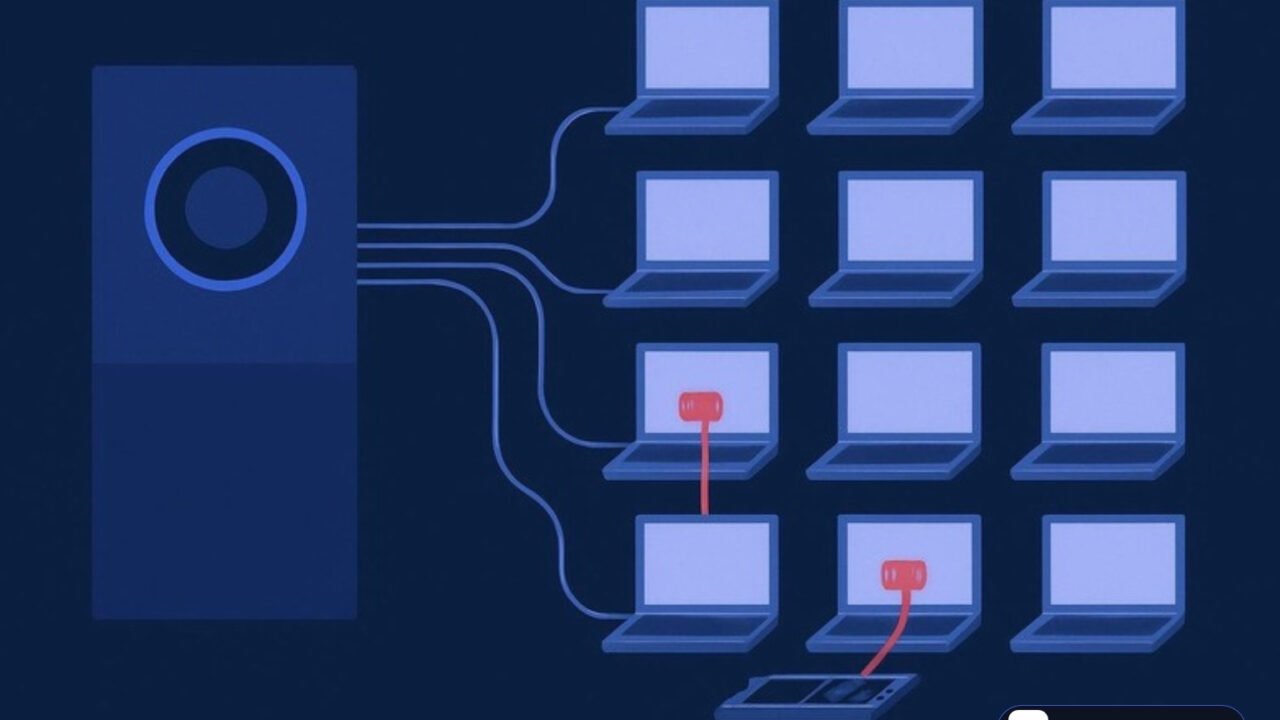
The second goal is the MSP itself. When a technician connects to an infected endpoint, a file transfer about 2.5 seconds later pulls Run-Lateral-Full.bat onto the technician’s workstation. A stager returns a unique encrypted kit, and Panel-Lateral.ps1 with LabConfig.ps1 steals the panel’s .aspxauth session cookie and replays it to list other reachable sessions. ToolboxRelayUploader.exe then uploads WithUninstall.ps1 to the panel’s Shared Toolbox, runs it on reachable sessions as SYSTEM, and deletes it about 60 seconds later. Huntress says the console takeover attempt failed in every recovered host log it has reviewed so far.
MITRE ATT&CK mapping
| Tactic | Technique (ID) | How it was used here |
|---|---|---|
| Execution | Software Deployment Tools (T1072) | ScreenConnect Run Command pushed SYSTEM commands to hundreds of endpoints. |
| Execution | PowerShell (T1059.001), Windows Command Shell (T1059.003) | Batch droppers and PowerShell loaders such as sckit-run.bat and sckit-loader.ps1. |
| Command and control | Remote Access Software (T1219) | Rogue ScreenConnect clients pointed at attacker relays. |
| Command and control | Ingress Tool Transfer (T1105) | Download of sc.msi, decoder and keyed SCKit package. |
| Defense evasion | Execution Guardrails: Environmental Keying (T1480.001) | Payload decrypts only with values issued for the host’s UUID; listed machine names skipped. |
| Defense evasion | Compile After Delivery (T1027.004) | RelayTrap.cs compiled into RelayTrap.exe on each host. |
| Defense evasion | Disable or Modify Tools (T1562.001) | Microsoft Defender exclusions added. |
| Defense evasion | File Deletion (T1070.004) | Temp staging files and Toolbox items removed. |
| Persistence | Scheduled Task (T1053.005) | TrapWatch task running as SYSTEM every 10 seconds. |
| Persistence | Registry Run Keys (T1547.001) | RelayTrapLiteAlert value under HKLM Run. |
| Impact | Service Stop (T1489) | Legitimate ScreenConnect service stopped and set to manual. |
| Credential access | Steal Web Session Cookie (T1539) | .aspxauth cookie taken from technician workstations. |
| Lateral movement | Web Session Cookie (T1550.004) | Stolen cookie replayed against the panel to reach other sessions. |
Who is behind it
Not yet attributed. Huntress names no threat actor. The only actor-linked artifact is the ScreenConnect participant name Addmin, and the installer pattern tags clients with c=Exploited<N>. Infrastructure includes dynamic DNS hostnames, a dedicated ScreenConnect server at 185.99.255[.]28 and a stager on ns.mo7sen[.]dev. Huntress links the campaign’s context to the worm-like rogue ScreenConnect activity it handled in September, but does not claim the same operator.
Affected products and versions
| Product | Affected | Fixed | CVE | CVSS |
|---|---|---|---|---|
| ConnectWise ScreenConnect (cloud panels) | Versions 26.6.6.9747 and 26.7.6.9783 reported by Cyber Security News; Huntress does not list versions | No product fix; ConnectWise says ScreenConnect has no flaw here | None assigned | Not applicable |
| Third-party extensions: Labtech Plus, RMM Plus, RMM+, RMM Plus Password Link, RMM+ Password Link | Possibly linked, per ConnectWise | Disabled by ConnectWise in about 400 cloud environments; on-premises partners must disable manually | None assigned | Not disclosed |
| ConnectWise ScreenConnect (related, September activity) | Versions before the vendor fix | Fixed by ConnectWise | CVE-2026-84869 | 9.9 |
Indicators of compromise
| Type | Indicator (defanged) | Context |
|---|---|---|
| IP | 185.99.255[.]28 |
Attacker ScreenConnect server (hostname “screen”) |
| Domain | newnewnew.gotdns[.]org |
Attacker relay resolving to the IP above |
| IP / Domain | 155.94.150[.]39 / sc.payproofkit[.]com |
Attacker panel, on the malware’s skip list |
| Domain | soxnewwork.homedns[.]org |
Relay on port 81 for client ed630cc2c873b091 |
| Domain | cdn007-digitaldownloads[.]com |
C2 domain, first flagged by BlackPoint |
| URL | hxxps://ns.mo7sen[.]dev/EadF.php |
Stager and payload endpoint (p=1, p=4, p=5, p=6) |
| Client IDs | 2588ef5c15954b10, ed630cc2c873b091 |
Rogue ScreenConnect clients |
| Participant | Addmin |
Operator name in installer URLs |
| Path | C:\Windows\TEMP\sc.msi, C:\ProgramData\RelayTrap\ |
Rogue installer and toolkit directory |
| Task / Registry | TrapWatch; HKLM\SOFTWARE\Microsoft\Windows\CurrentVersion\Run\RelayTrapLiteAlert |
Persistence |
| Files | sckit-*, Panel-Lateral.ps1, runnew.cmd, ToolboxRelayUploader.exe, sqlite3.exe |
Temp folder artifacts |
Huntress also publishes SHA256 hashes for 16 scripts and binaries, but warns they are weak indicators because scripts are rebuilt with different embedded values and RelayTrap is compiled per host. Prioritise the behavioural and network indicators above.
Detection and hunting
Start in the ScreenConnect panel. Export Run Command and Shared Toolbox history and instance audit logs, and look for mass executions you did not start, especially commands that install an MSI from C:\Windows\TEMP or Toolbox items that appear and vanish within about a minute.
On endpoints, list services and flag any host with two ScreenConnect client services, or a legitimate ScreenConnect service whose start type changed to manual. Hunt scheduled tasks for TrapWatch, the Run key value RelayTrapLiteAlert, the C:\ProgramData\RelayTrap folder, and new Defender exclusions (Microsoft-Windows-Windows Defender event 5007 records configuration changes). Huntress also advises watching for Event ID 201 “file run” entries written by the toolkit’s Lite-Alert.ps1, and for newly installed ScreenConnect services.
In process telemetry, look for csc.exe compiling a file under C:\ProgramData\RelayTrap, PowerShell spawned by the ScreenConnect client service reading sckit-* files, and outbound connections to the domains and IPs in the IOC table. On technician workstations, look for Run-Lateral-Full.bat arriving seconds after a remote session starts.
Mitigation and response
- Stop using ScreenConnect to connect to suspect hosts. Use EDR live response, WinRM or another out-of-band tool. Treat any technician workstation that already connected as exposed.
- Disable the five named extensions on on-premises servers and review whether any other third-party extension can run remote commands.
- Isolate affected hosts and keep them isolated until cleanup is verified. Huntress saw hosts reinfect shortly after isolation was lifted.
- Remove the rogue client service, the
TrapWatchtask,C:\ProgramData\RelayTrap\, Temp toolkit files and theRelayTrapLiteAlertRun value. Verify the legitimate client before removing anything, and clear the injected SRP and AppLocker rules and Defender exclusions. - End active ScreenConnect web sessions, rotate ScreenConnect credentials from a clean device, and revoke browser and identity provider sessions, since the toolkit steals session cookies.
- Audit Run Command, Toolbox and instance logs to scope every affected endpoint and technician, then monitor for new ScreenConnect services and the listed infrastructure.
Analyst take
This is the RMM problem in its plainest form. The operator did not need an exploit on 288 machines; one foothold on the management plane bought SYSTEM on all of them in 90 minutes. The design choices are telling: per-host keyed payloads to beat hash-based detection, a trap that keeps the real client looking healthy, and a deliberate pivot toward the technicians who hold the keys to every other customer. As with the help desk impersonation intrusions that abused Quick Assist, the remote support channel itself is the weapon.
MSPs and internal IT teams running ScreenConnect should worry most, along with any organization whose provider uses it. The open question is the entry point. Until ConnectWise or Huntress confirms it, treat every third-party extension with remote command capability as attack surface, require strong unique passphrases on any extension API, and alert on bulk Run Command jobs the way you would alert on a domain-wide GPO change.
What to do now
0 of 5 done
Questions readers ask
What is SCKit?
SCKit is a 16-file toolkit of PowerShell and batch scripts that installs a rogue ScreenConnect client, hides the real one behind a RelayTrap scheduled task and tries to spread through technician sessions.
Is ScreenConnect vulnerable in the SCKit attack?
ConnectWise says ScreenConnect itself has no flaw in this case and its systems were not breached; it disabled five third-party extensions that may be linked.
How do I check if my endpoints have SCKit?
Look for a second ScreenConnect client service, a TrapWatch scheduled task, the C:\ProgramData\RelayTrap folder and a RelayTrapLiteAlert Run key value.
Sources
- Huntress: SCKit Worm: rogue ScreenConnect clientshuntress.com
- ConnectWise: Trust Center security advisoriesconnectwise.com
- Cyber Security News: Hackers Hijack ConnectWise ScreenConnect to Deploy SCKit Malwarecybersecuritynews.com
One short email when something serious breaks.
Threatspedia covers major cyber threats only, verified against primary sources. Read our editorial policy, or report a correction.