Outlook Zero-Day CVE-2026-124194 Exploited to Leak NTLM Hashes
Microsoft's November 2026 Patch Tuesday fixes an exploited Outlook zero-day, CVE-2026-124194: opening a crafted message file makes Outlook contact an attacker server without a warning and leak the user's NTLMv2 hash. CISA set a 24 November deadline.
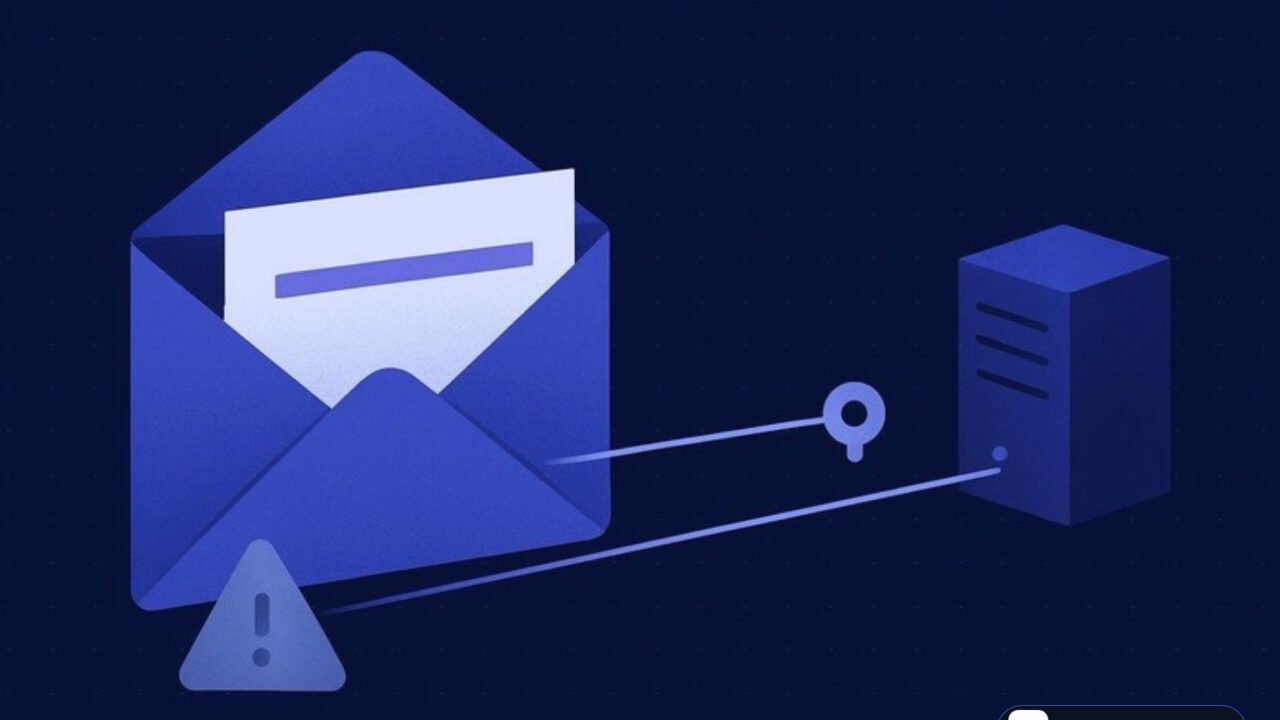
Threat card
- Status
- Actively exploited
- Threat type
- Zero-Days
- Disclosed
- Nov 10, 2026
- Affected
- Microsoft 365 Apps for Enterprise; Office LTSC 2021 before build 16.0.14334.21048; Office LTSC 2024 before build 16.0.17932.21140 (Outlook)
The short version
- Microsoft confirmed in-the-wild exploitation of CVE-2026-124194, an Outlook flaw that skips the external-content warning.
- Opening a crafted message file makes Outlook connect to an attacker-controlled location and disclose the user's NTLMv2 hash.
- CISA added the bug to KEV on 10 November 2026 with a federal remediation deadline of 24 November 2026.
- The same release fixes 1,094 CVEs, including unauthenticated 9.8 CVSS remote code execution flaws in Windows Search and Windows LDAP.
Microsoft has patched an actively exploited Outlook zero-day, CVE-2026-124194, in its November 2026 Patch Tuesday release. An unauthenticated attacker sends a crafted message file; when the victim opens it, Outlook connects to an attacker-controlled network location without showing the usual external-content warning, and the user’s NTLMv2 hash goes with it. CISA added the bug to its Known Exploited Vulnerabilities catalog on 10 November 2026. Defenders should patch Outlook now, block outbound SMB and hunt for hash leaks.
What happened
On 10 November 2026 Microsoft fixed CVE-2026-124194, a spoofing flaw in Outlook rated CVSS 6.5 and marked “Exploitation Detected”. Opening a crafted message file makes Outlook reach out to an attacker server without a warning, disclosing the user’s NTLMv2 hash, which an attacker could use to authenticate as that user.
The Microsoft Security Update Guide entry describes the root cause as a product UI that “does not warn user of unsafe actions”. Microsoft has not published details of the attacks, the number of targets or any indicators. According to SecurityWeek’s Patch Tuesday report, the release fixes 1,094 vulnerabilities in total, and Microsoft’s acknowledgments credit a researcher using the moniker “nono” and Benoît Sevens.
This is the only exploited zero-day in the November release. It follows the same pattern as earlier Outlook credential leak bugs, a class we track closely alongside identity attacks such as the Teams help desk intrusions that ended in AD CS abuse.
Timeline
| Date (UTC where known) | Event |
|---|---|
| Before 10 Nov 2026 | In-the-wild exploitation detected by Microsoft; first activity date not disclosed. |
| 10 Nov 2026 | Microsoft releases the November 2026 security updates and flags CVE-2026-124194 as “Exploitation Detected”, not publicly disclosed. |
| 10 Nov 2026 | CISA adds CVE-2026-124194 to the KEV catalog; known ransomware use listed as “Unknown”. |
| 24 Nov 2026 | Remediation deadline for US federal civilian agencies under BOD 22-01. |
How the attack works
Initial access: a crafted message file
The attacker needs no account on the target network. Microsoft’s advisory says an unauthenticated attacker sends a specially crafted message file, and the attack only fires when the user opens it. Microsoft says the Preview Pane is not an attack vector, so simply selecting the email in the reading pane is not enough.
Root cause: a missing warning (CWE-356)
The bug is classed as CWE-356, product UI does not warn user of unsafe actions. Outlook normally warns before loading content from an external location. In vulnerable builds, the crafted file causes Outlook to connect to an attacker-controlled network location while skipping that prompt, as described in Rescana’s breakdown of the November release. The CVSS vector requires user interaction and rates confidentiality impact as High.
Credential access: NTLMv2 hash disclosure
When Windows authenticates to that remote location, it sends the user’s NTLMv2 challenge response. Microsoft states that the flaw “discloses a user’s NTLMv2 hash to the attacker”, who could then use it to authenticate as the user. In practice that means relaying the authentication to another service that accepts NTLM, or cracking weak passwords offline. Microsoft has not said which follow-on technique attackers used.
Impact
The CVSS 6.5 score understates the risk for organisations that still accept NTLM internally. A single opened file can hand an attacker a usable credential for the mailbox owner, and a privileged user’s hash is a direct path to lateral movement.
MITRE ATT&CK mapping
| Tactic | Technique (ID) | How it was used here |
|---|---|---|
| Initial Access | Phishing: Spearphishing Attachment (T1566.001) | A crafted message file is delivered to the target. |
| Execution | User Execution: Malicious File (T1204.002) | The victim must open the file; the Preview Pane does not trigger it. |
| Credential Access | Forced Authentication (T1187) | Outlook connects to an attacker-controlled location and sends the NTLMv2 hash. |
| Defense Evasion / Lateral Movement | Use Alternate Authentication Material (T1550) | Microsoft says the hash could be used to authenticate as the user; observed follow-on use not disclosed. |
Who is behind it
Not yet attributed. Microsoft has not named an actor, described the targets or shared infrastructure, and the Daily CyberSecurity analysis notes that no attribution, victim count or IOCs were published. Treat any vendor claims that appear later as assessments until Microsoft or CISA confirm them.
Affected products and versions
| Product | Affected | Fixed | CVE | CVSS |
|---|---|---|---|---|
| Microsoft 365 Apps for Enterprise (32 and 64 bit) | Builds before the November 2026 update | November 2026 channel update | CVE-2026-124194 | 6.5 (UI:R) |
| Microsoft Office LTSC 2021 | Before 16.0.14334.21048 | 16.0.14334.21048 | CVE-2026-124194 | 6.5 |
| Microsoft Office LTSC 2024 | Before 16.0.17932.21140 | 16.0.17932.21140 | CVE-2026-124194 | 6.5 |
Other November 2026 fixes to prioritise
None of these are known to be exploited, but each is unauthenticated and network reachable.
| CVE | Component | Bug class | CVSS | Notes |
|---|---|---|---|---|
| CVE-2026-116928 | Windows Search (used by Exchange for indexing) | CWE-787 out-of-bounds write | 9.8 | Crafted attachment processed without the recipient opening it. |
| CVE-2026-119958 | Windows LDAP | CWE-787 out-of-bounds write | 9.8 | Crafted LDAP calls; exploitation “Less Likely”. |
| CVE-2026-119952 | Windows Schannel | CWE-208 timing discrepancy | 8.1 | Exploitation “More Likely”; specific conditions required. |
SecurityWeek’s count by product: Windows 726, Office 174, SQL Server 59, developer tools 53, SharePoint Server 27, Azure 20 and Exchange Server 9. These are also the final monthly security updates for the Enterprise and Education editions of Windows 11 version 23H2.
Indicators of compromise
No IOCs have been published by Microsoft or CISA. Watch the MSRC advisory for updates and hunt on behaviour instead.
| Type | Indicator | Context |
|---|---|---|
| Behavioural | OUTLOOK.EXE outbound connection to an external IP on TCP 445 |
Classic sign of forced NTLM authentication over SMB. |
| Behavioural | OUTLOOK.EXE or svchost.exe (WebClient) WebDAV requests to unknown internet hosts |
NTLM can also leak over WebDAV on HTTP or HTTPS. |
| Behavioural | Opened message attachments (for example .msg) from external senders shortly before the above |
Links the user action to the outbound authentication. |
| Behavioural | NTLM logons (Event ID 4624, Logon Type 3) for the same user from unexpected hosts |
Possible relay or reuse of the leaked credential. |
Detection and hunting
Start with egress. Firewall and proxy logs should show any SMB (TCP 445) or WebDAV traffic from workstations to the internet; in most networks that traffic should be zero, so every hit deserves review. On endpoints, Sysmon Event ID 3 (network connection) with Image ending in OUTLOOK.EXE and a public destination is a high-value query.
Correlate those connections with mail gateway logs to find the message and sender. On domain controllers and servers, review Event ID 4624 and 4776 for NTLM authentications by the affected users from unusual source hosts after the suspected leak. If you have NTLM auditing enabled, the “Restrict NTLM: Audit outgoing NTLM traffic” events show which hosts send NTLM to remote servers.
Mitigation and response
- Install the November 2026 Office security updates on every machine running Outlook and confirm the build numbers above. Check that Microsoft 365 Apps update channels have actually received the fix.
- Block outbound TCP 445 at the perimeter and restrict WebDAV to known destinations.
- Hunt for outbound SMB or WebDAV from Outlook since October and identify the users involved.
- Reset passwords for any user whose hash may have left the network, starting with privileged and executive accounts.
- Reduce NTLM exposure: add privileged users to the Protected Users group, restrict outgoing NTLM where possible, and enforce SMB signing and Extended Protection for Authentication to blunt relay.
- Roll the critical Windows Search, LDAP and Schannel fixes into the same window, with domain controllers and Exchange servers first.
Analyst take
A moderate CVSS score and a “spoofing” label make this easy to deprioritise, and that is the mistake. Outlook hash leaks have a long history of being used by capable actors precisely because they turn one opened file into a reusable credential, and NTLM is still accepted across most enterprise estates. The fact that exploitation was detected before the patch shipped means someone had already operationalised it.
The organisations most at risk are those that still allow outbound SMB, run NTLM-dependent services and give executives broad access. Patch Outlook this week, but treat the egress and NTLM hardening as the real fix: it closes this bug class for the next Outlook flaw too, just as MFA hardening mattered more than any single patch in the SonicWall SAML MFA bypass.
What to do now
0 of 6 done
Questions readers ask
What is CVE-2026-124194?
It is an exploited Outlook spoofing flaw (CWE-356) where a crafted message file makes Outlook contact an attacker server without warning, leaking the user's NTLMv2 hash.
Can the Outlook Preview Pane trigger CVE-2026-124194?
No. Microsoft says the Preview Pane is not an attack vector; the user has to open the crafted message file.
Which Office versions fix the Outlook zero-day?
Office LTSC 2021 build 16.0.14334.21048, Office LTSC 2024 build 16.0.17932.21140 and the November 2026 update for Microsoft 365 Apps for Enterprise.
Sources
- Microsoft MSRC: CVE-2026-124194 Security Update Guidemsrc.microsoft.com
- CISA: Known Exploited Vulnerabilities catalog entrycisa.gov
- SecurityWeek: Exploited Outlook Zero-Day Among 1,094 Flaws Patched by Microsoftsecurityweek.com
- Daily CyberSecurity: Microsoft Outlook Zero-Day CVE-2026-124194 Exploited in the Wildsecurityonline.info
- Rescana: Microsoft November 2026 Patch Tuesday analysisrescana.com
One short email when something serious breaks.
Threatspedia covers major cyber threats only, verified against primary sources. Read our editorial policy, or report a correction.